
Overview
Move This World content is organized by grade level and delivered through a built-in video player with support for multiple languages, closed captioning, and full-screen viewing.
Choosing a Grade Level
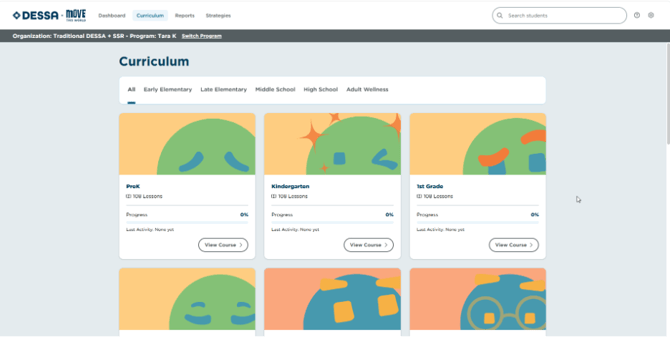
- From the Move This World library, choose the grade level that matches your classroom.
- Available videos and activities for that grade level will appear upon selecting View Course.
Image 1
Using the Video Player
- Select a video to begin playback.
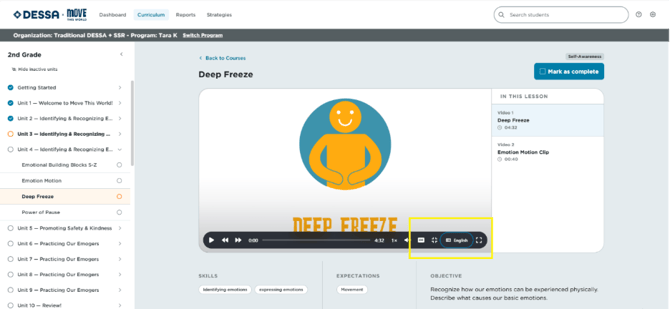
- To switch languages (where available), select the language icon in the player controls and choose your preferred language.
- To turn on closed captioning, select the CC icon in the player controls.
- To view in full screen, select the full-screen icon in the bottom-right corner of the player.
Image 2
📌Note: Language and captioning availability may vary by video. If an option isn't visible in the player controls, that alternate version isn't available for the selected content.